Additional Configuration for Older SAP Systems ( < 7.40 )
In older SAP systems where all the necessary front end components are not able to be installed, users will run into the following dump when attempting to open the Workbench.
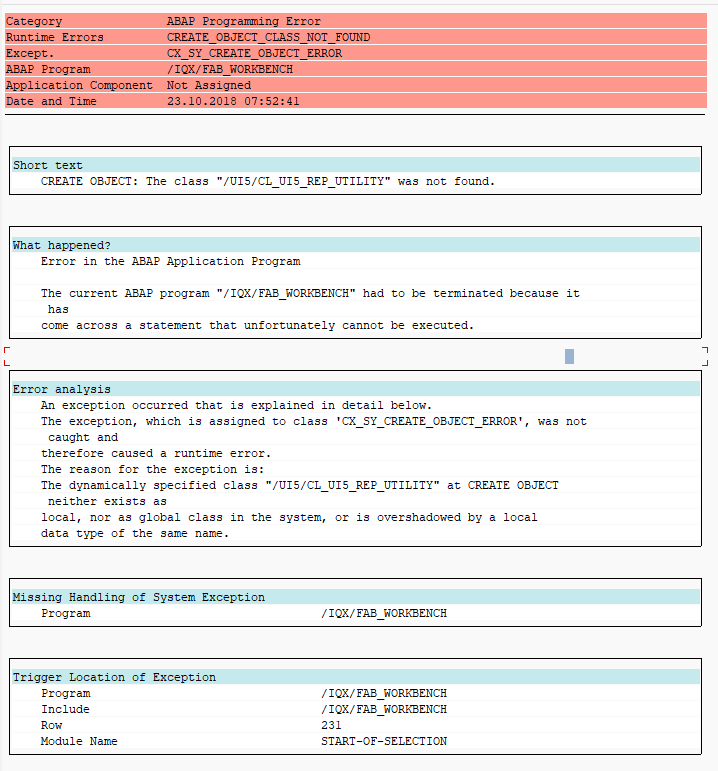
Error Message: CREATE OBJECT: The class "/UI5/CL_UI5_REP_UTILITY" was not found.
Resolution:
To resolve the issue, the IQX UI5 classes should be referenced in the configuration instead of the default values which look for the SAP UI5 classes.
- Enter the FAB Configuration transaction code. (/IQX/FAB_CONFIG)
- Click on UI Component References in the left panel.
- Enter the following values:
Property Name Value Version 002 Repository API Class Name /IQX/CL_UI5_REP_DT Repository API Interface Name /IQX/IF_UI5_REP_DT Utility API Class Name /IQX/CL_UI5_REP_UTILITY - Click Save on the toolbar.
You should be able to restart the development workbench without the error.